
Quick Start
This guide walks you through your first session in valueIQ, from sign-in to a business case you can share with a buyer. It is built around four milestones, and you can stop after any of them and pick up later.
Before you start. You need a valueIQ account and your company's website address. Product collateral such as a product sheet, battle card, or pricing document helps, but it is optional.
The four milestones
- Your first product. Describe what you sell and valueIQ builds your value model, with about 25 minutes of background processing.
- Your first deal. Add a prospect and valueIQ builds a customer-specific model for it.
- vIQ. Get coaching grounded in that deal.
- Your first sales deck. Generate a value story and open the business case.
1. Your first product
Sign in and open the welcome dialog
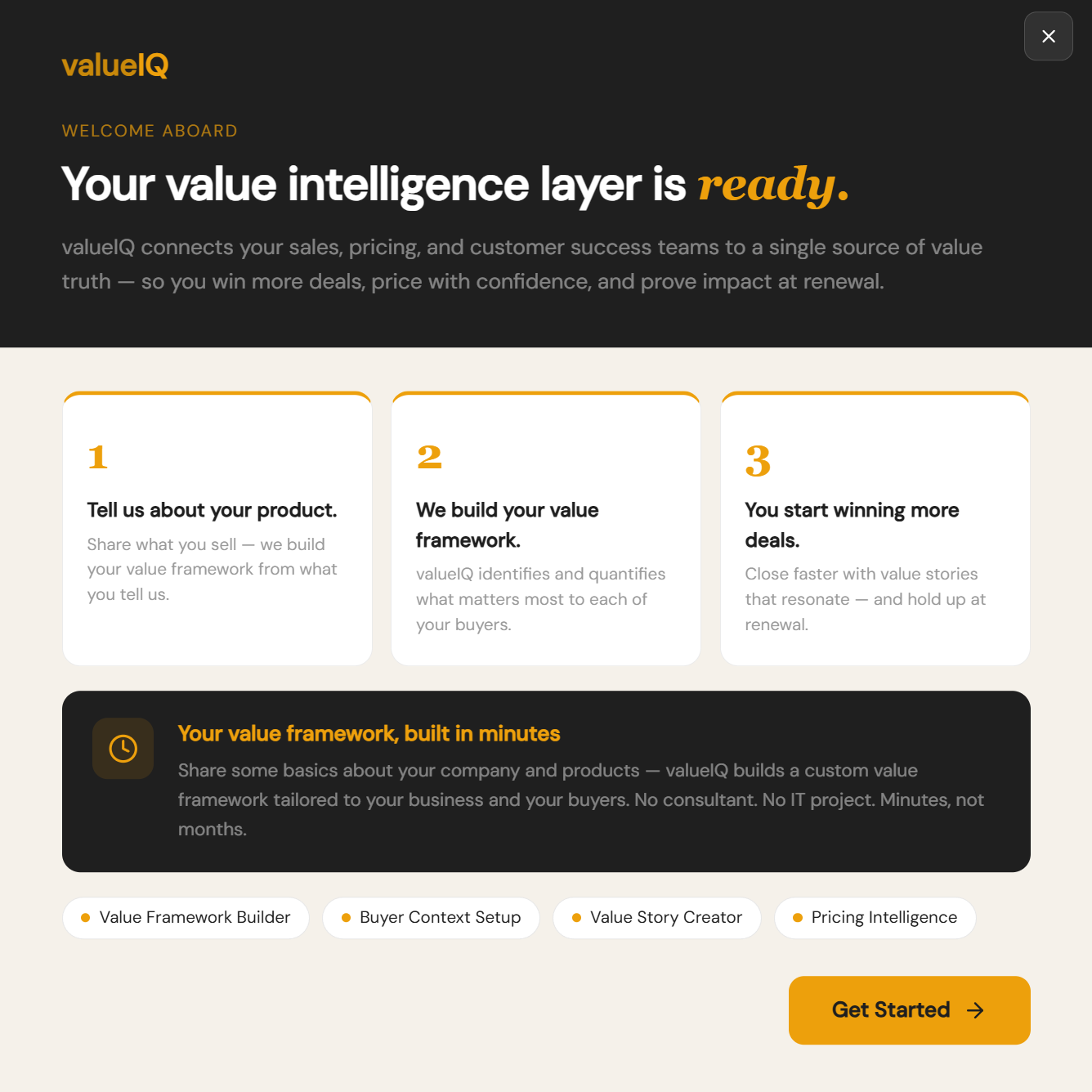
The first time you sign in, a Welcome dialog explains the three steps: you tell valueIQ about your product, valueIQ builds your value framework, and you start using it in deals.
- Click Get Started. This opens the guided setup for your first product and value model.
- Or close the dialog. Click the ✕ in the top-right corner if you would rather explore first. You can start setup later from the workspace chat.
Describe your product
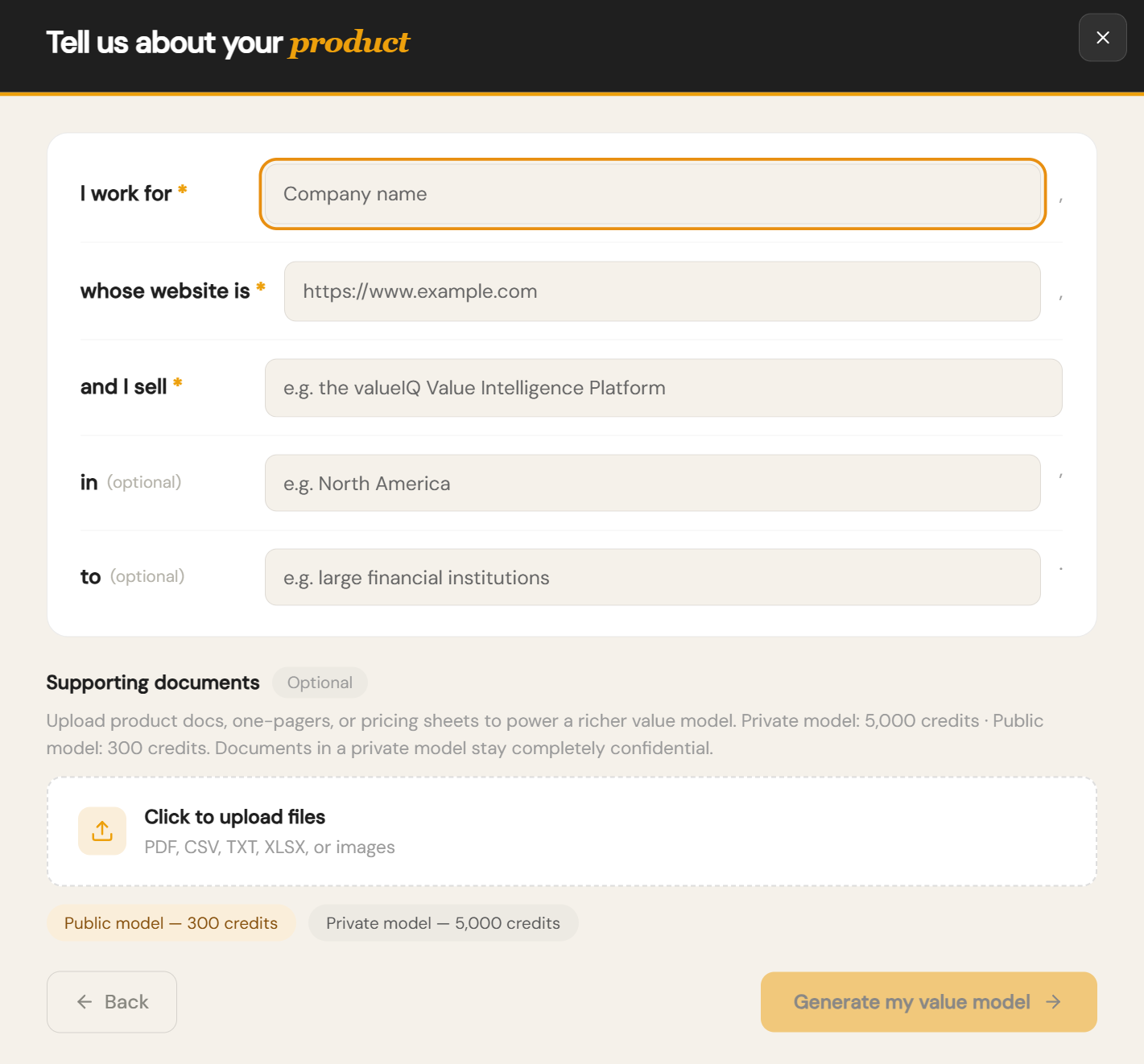
After you click Get Started, valueIQ asks you to complete one sentence about your business:
I work for [Company Name], whose website is [https://...], and I sell [product or solution]. Optionally: in [region] to [target customers].
That is all valueIQ needs. It researches public information about your company and product and builds the value model from there.
- Fill in the sentence. Region and target customers are optional.
- Upload supporting documents if you have them. PDF, CSV, TXT, XLSX, or images. Optional.
- Click Generate my value model. This starts the build.
If you have a product sheet, battle card, or pricing document handy, valueIQ offers to use it for a sharper model. Public information alone is enough to get started.
Confirm your company and competitors
valueIQ comes back with two quick confirmations before it commits to the full build.
- Confirm the company and product. valueIQ shows the company name and product it detected. Reply Yes to confirm, or correct anything that looks wrong.
- Review the competitor list. valueIQ suggests likely competitors. Confirm the list, or ask it to add or remove companies.
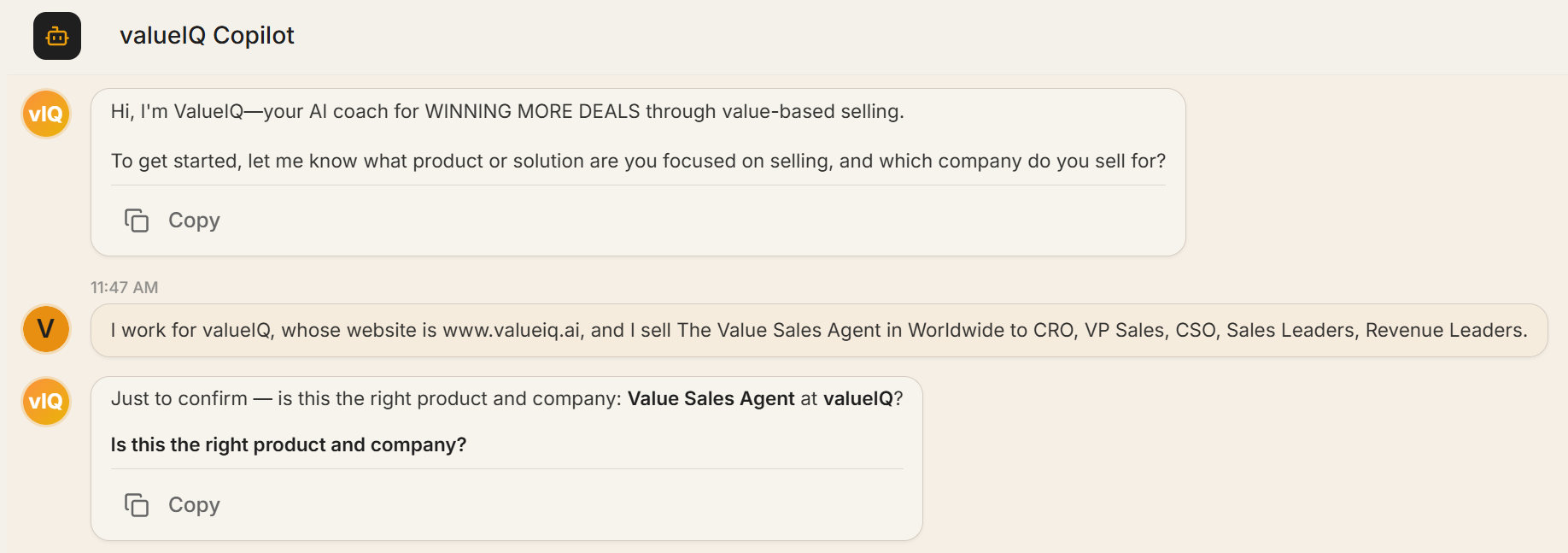
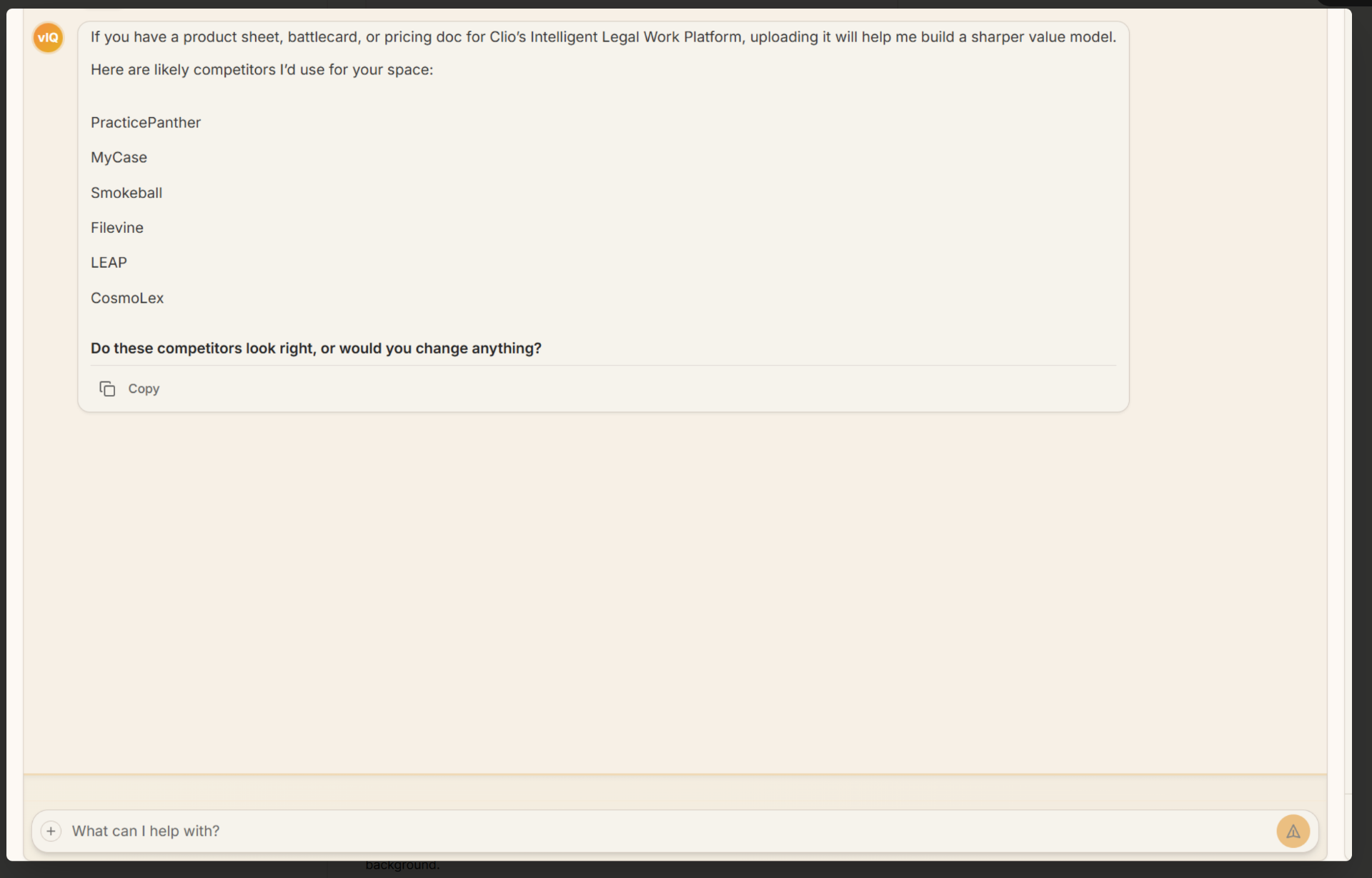
Once you confirm, valueIQ generates the value model. It takes about 25 minutes, in the background, with an email when it is ready.
Track progress in the sidebar
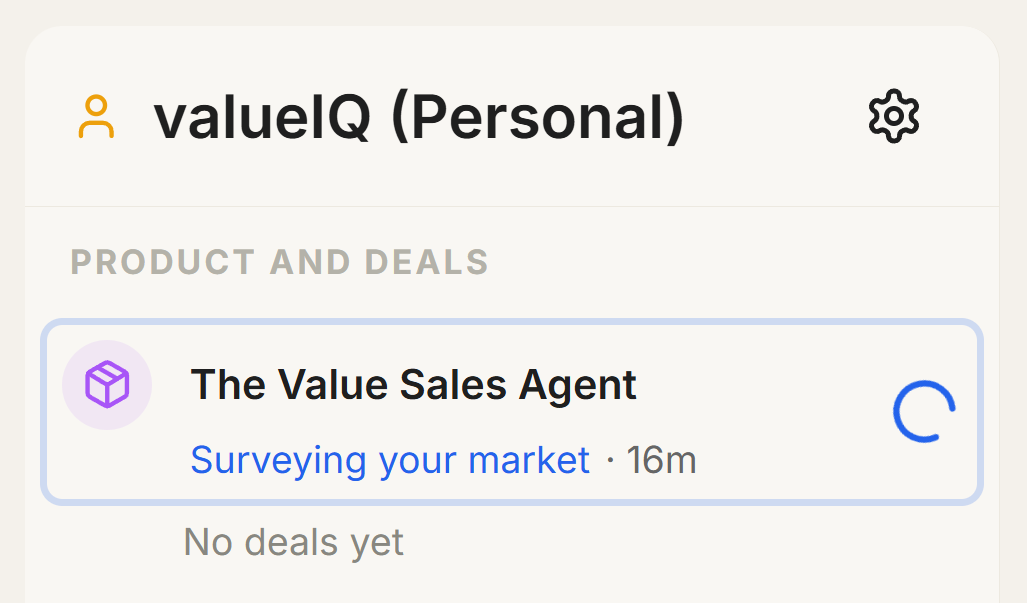
While the model builds, your product appears under Products and Deals in the left sidebar. You see a status line such as "Researching your product and market position", an elapsed-time counter, and a spinning icon.
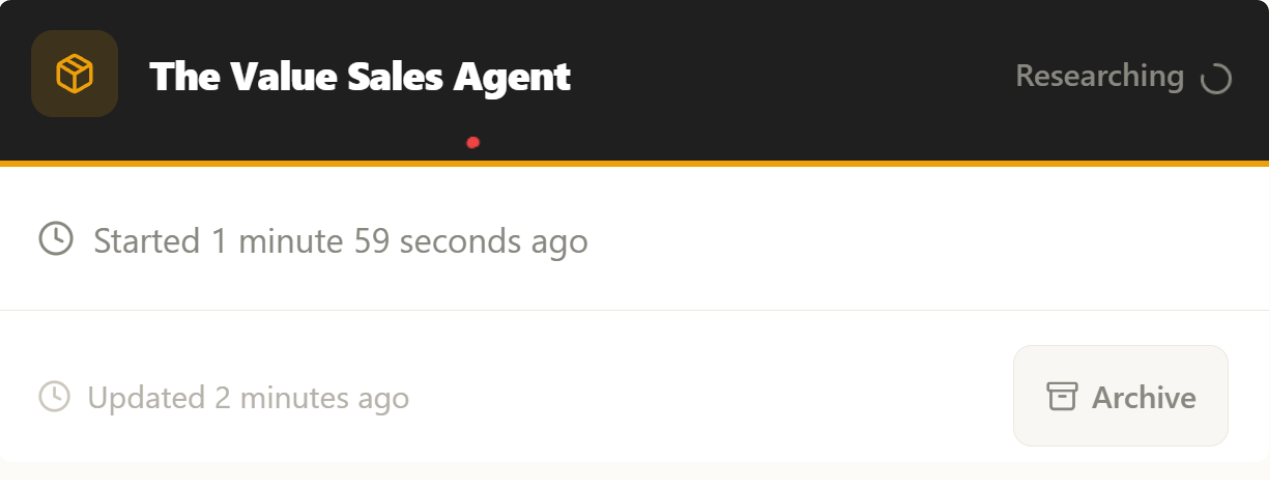
Hover over the product for more detail: the current processing stage, how long it has been running, and an Archive option.
Know when your model is ready
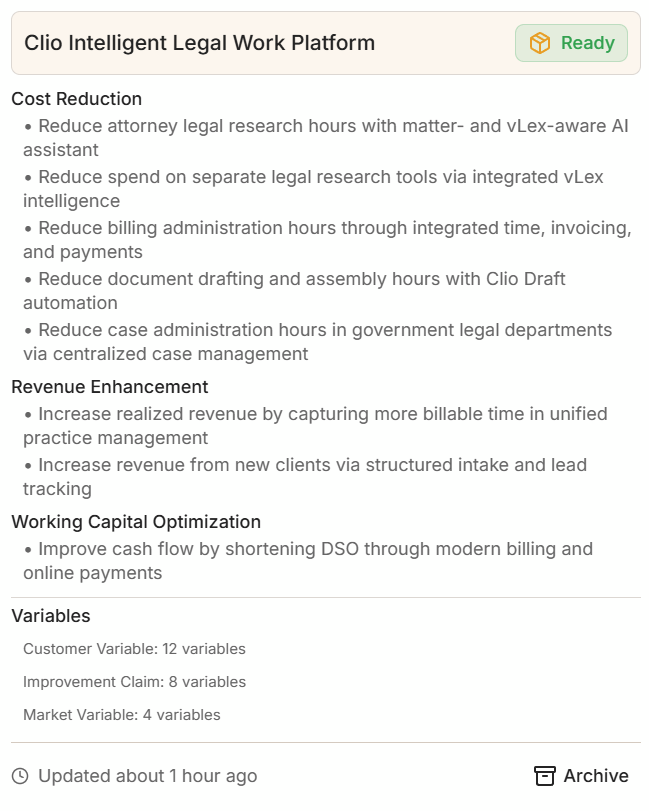
When generation finishes, the spinner is replaced by a purple box icon next to the product name. Hover over the product to see an overview: value drivers grouped by category, a summary of company and market variables, and the last-updated timestamp.
When you see the purple icon, click the product name to open the value model.
Explore your value model
Clicking the product opens the Value Model view, which has two sections.
- Value Drivers. The quantifiable benefits your product delivers, grouped by category (for example Cost Reduction, Revenue Enhancement, Working Capital Optimization). Each driver has an equation, the customer criteria that decide when it applies, and the variables used to calculate impact.
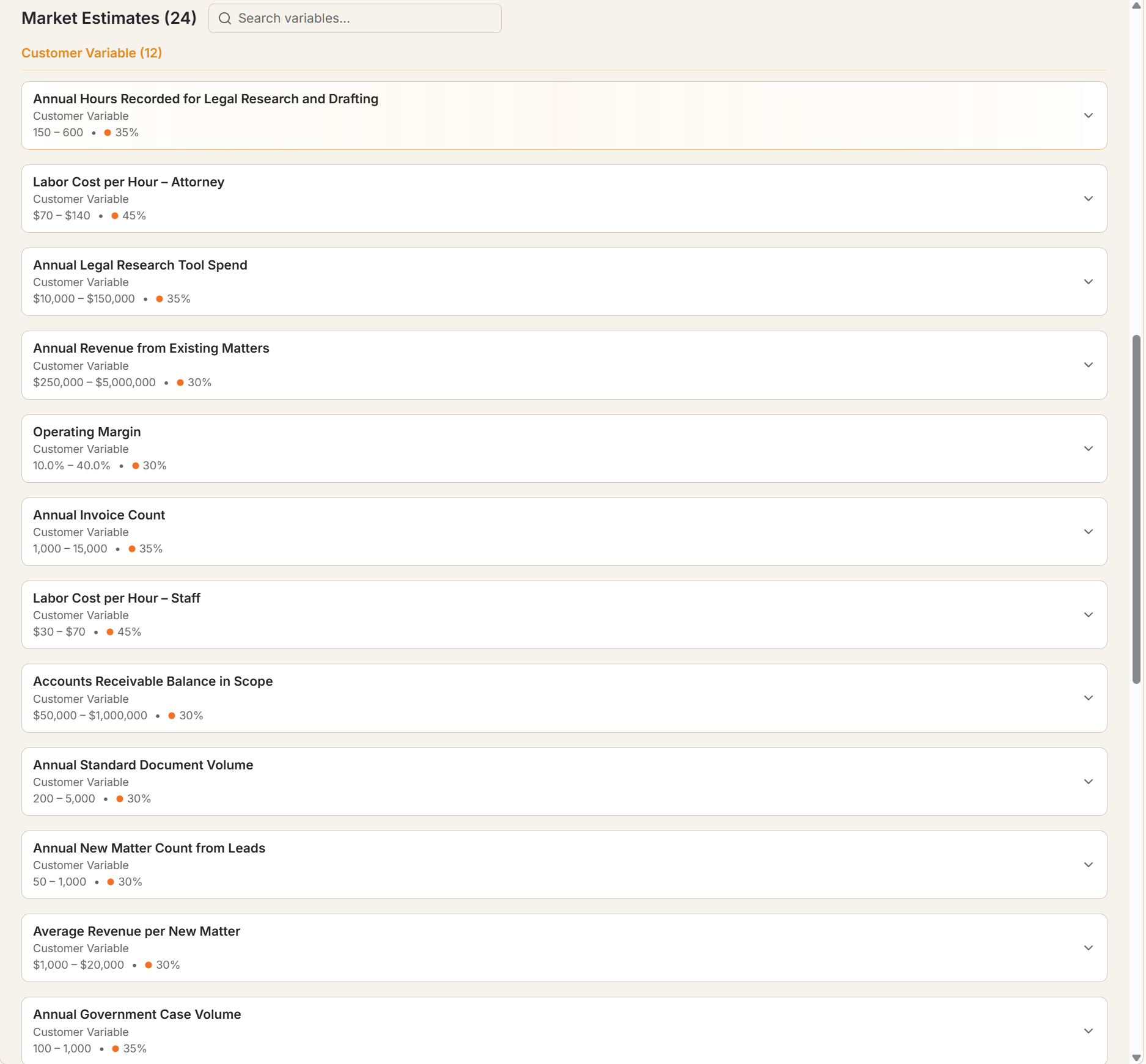
- Market Estimates. Industry benchmarks and customer variables (labor costs, annual volumes, revenue figures) that feed the driver equations, each with a range and a confidence percentage.
Expand any driver to see its full equation and criteria. To rename a driver or variable, hover over its name and click the pencil icon.
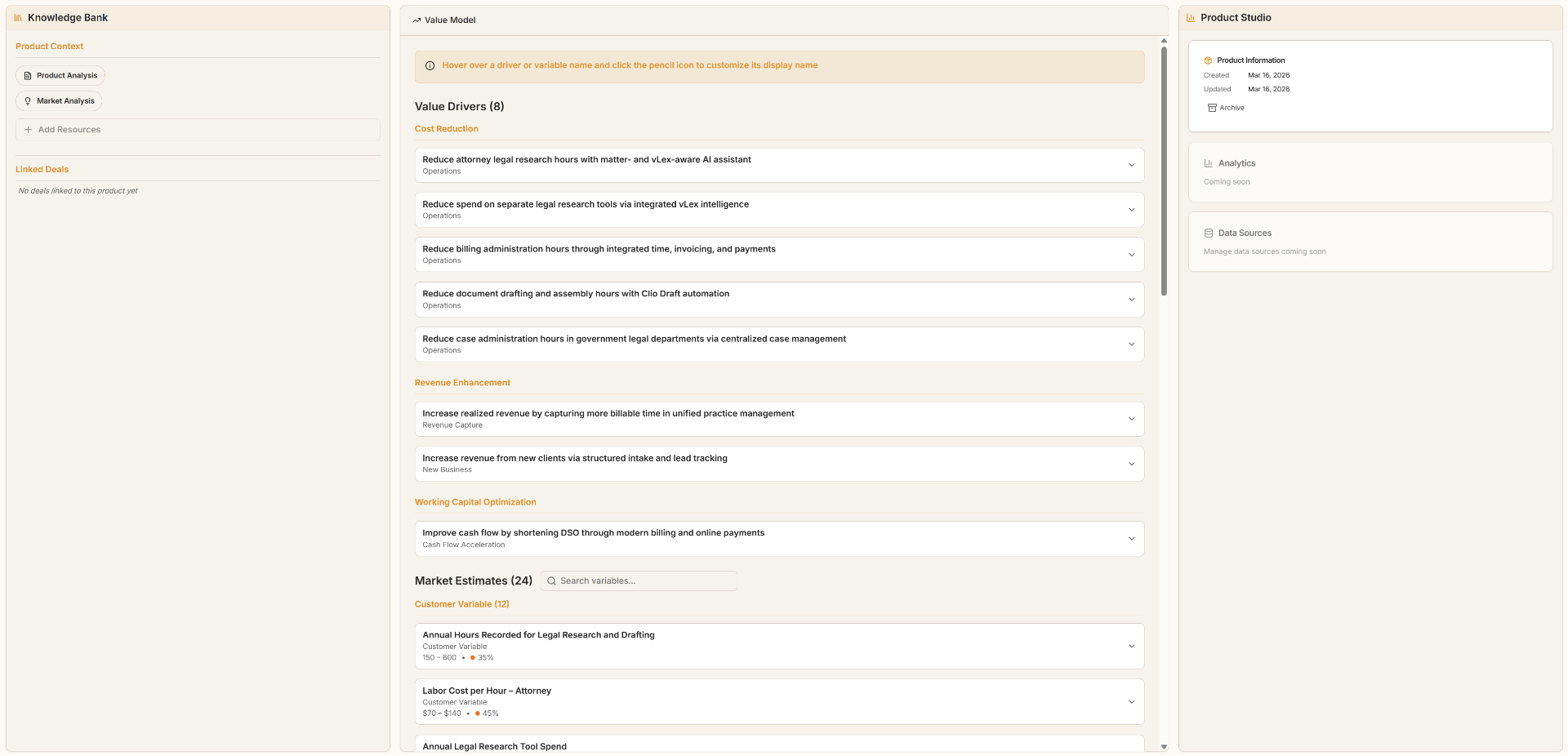
Scroll down to Market Estimates to see every variable valueIQ researched for your market. Each one shows its estimated range, category, and confidence level, and you can search across them with the search bar.
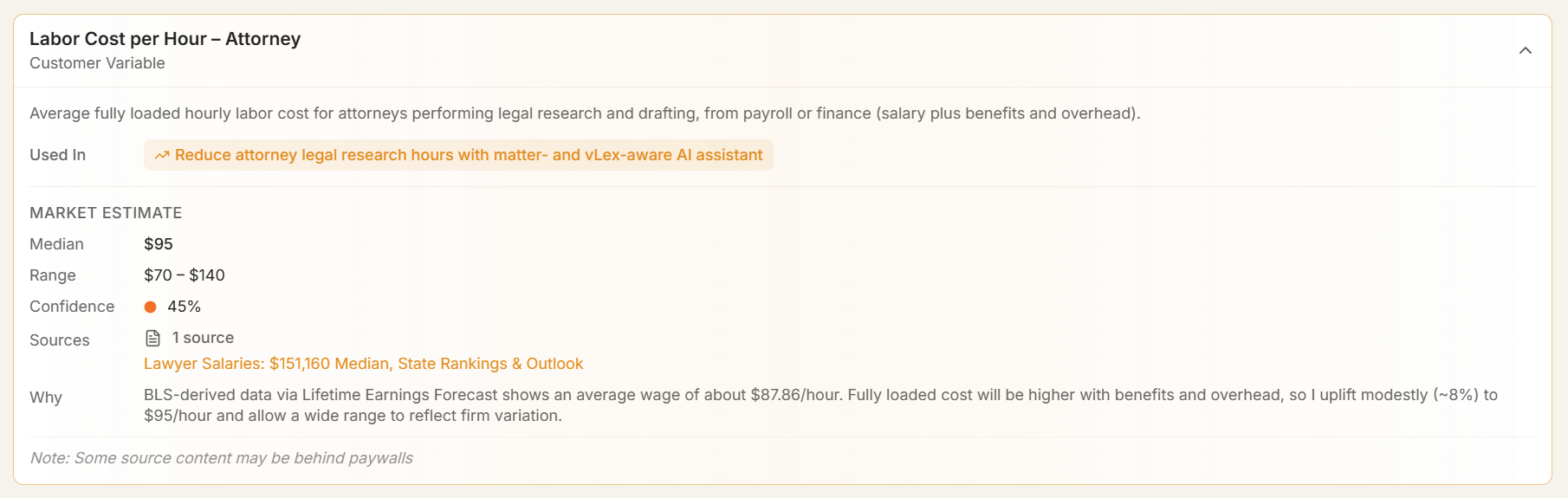
Click the expand arrow on a variable to open its full detail: the Median value, the estimated Range, a colour-coded Confidence percentage (orange for moderate, green for high), the Sources used (with links), and a Why explanation of how the value was derived. Some sources may sit behind paywalls.
The value model is the foundation for everything that follows. Deals, coaching, and value stories all build on these drivers and estimates, so review the generated content early and rename drivers to match your sales vocabulary.
2. Your first deal
Each deal is one sales opportunity. It connects the value model to coaching, documents, and value stories for that prospect.
Create the deal
- Click Create a Deal on the workspace home screen.
- Fill in the Start a New Value Conversation dialog. Add what you know; valueIQ researches the rest.
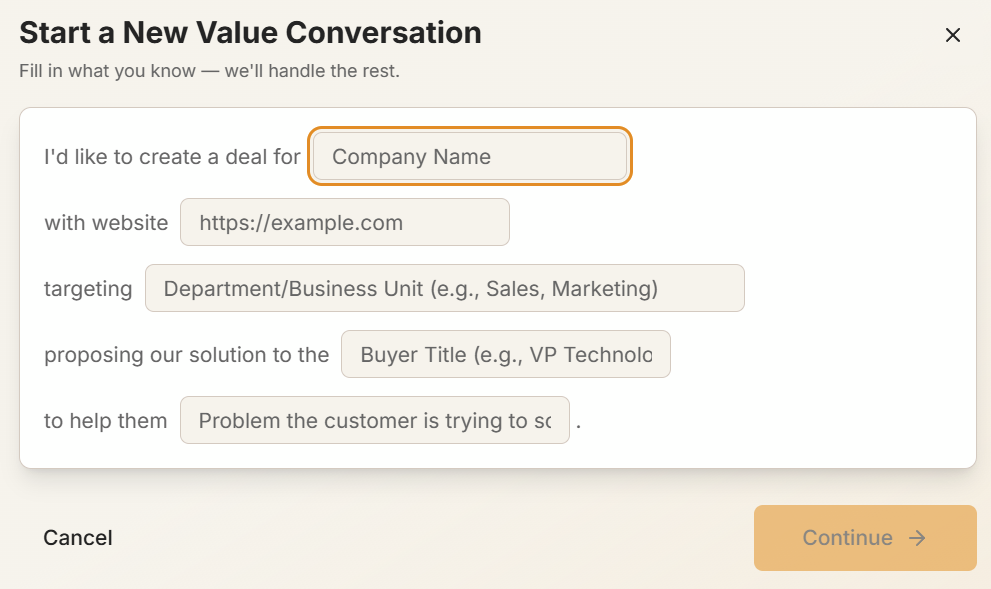
- Company Name. The prospect you are selling to.
- Website. valueIQ researches the company to tailor its coaching.
- Scope. The part of the company the deal covers, such as the Mexico stores or the Pro business. It sizes the estimates; leave it blank when the whole company is in scope.
- Buyer Title. Who you are proposing to, such as VP Technology, or the department that is buying.
- Problem. The customer problem you are helping them solve.
- Click Continue →. valueIQ starts building a customer-specific value model and coaching context from the details you gave it.
The more context you give, especially the website and the customer problem, the more targeted the coaching is from the first conversation. You can also start a deal from the Pipeline (left nav → Pipeline → + New Deal).
Find your deal
Your new deal appears under its product in the Products and Deals sidebar.

Hover over the deal name for a summary card with stage, estimated value, price, Value Capture, ROI, and days until close. Value Capture is price divided by expected value. The app labels this 'Value Capture %', shortened to 'Capture' where space is tight.
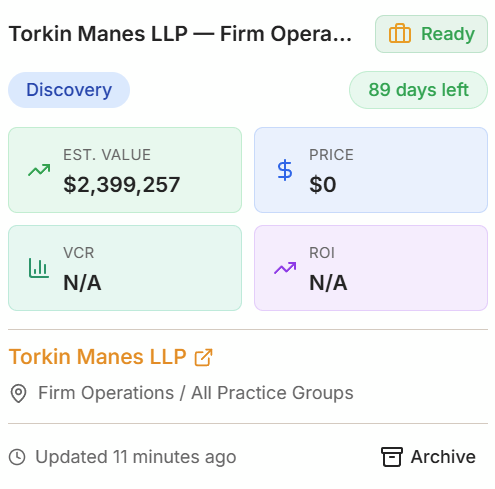
Click the deal name to open the deal workspace, where coaching, documents, and value stories live.
Use the hover card to triage deals without opening each one. It is a fast way to check stage, estimated value, and days remaining until close.
Take the deal workspace tour
The first time you open a deal, a guided mini-tour walks through six areas of the workspace.
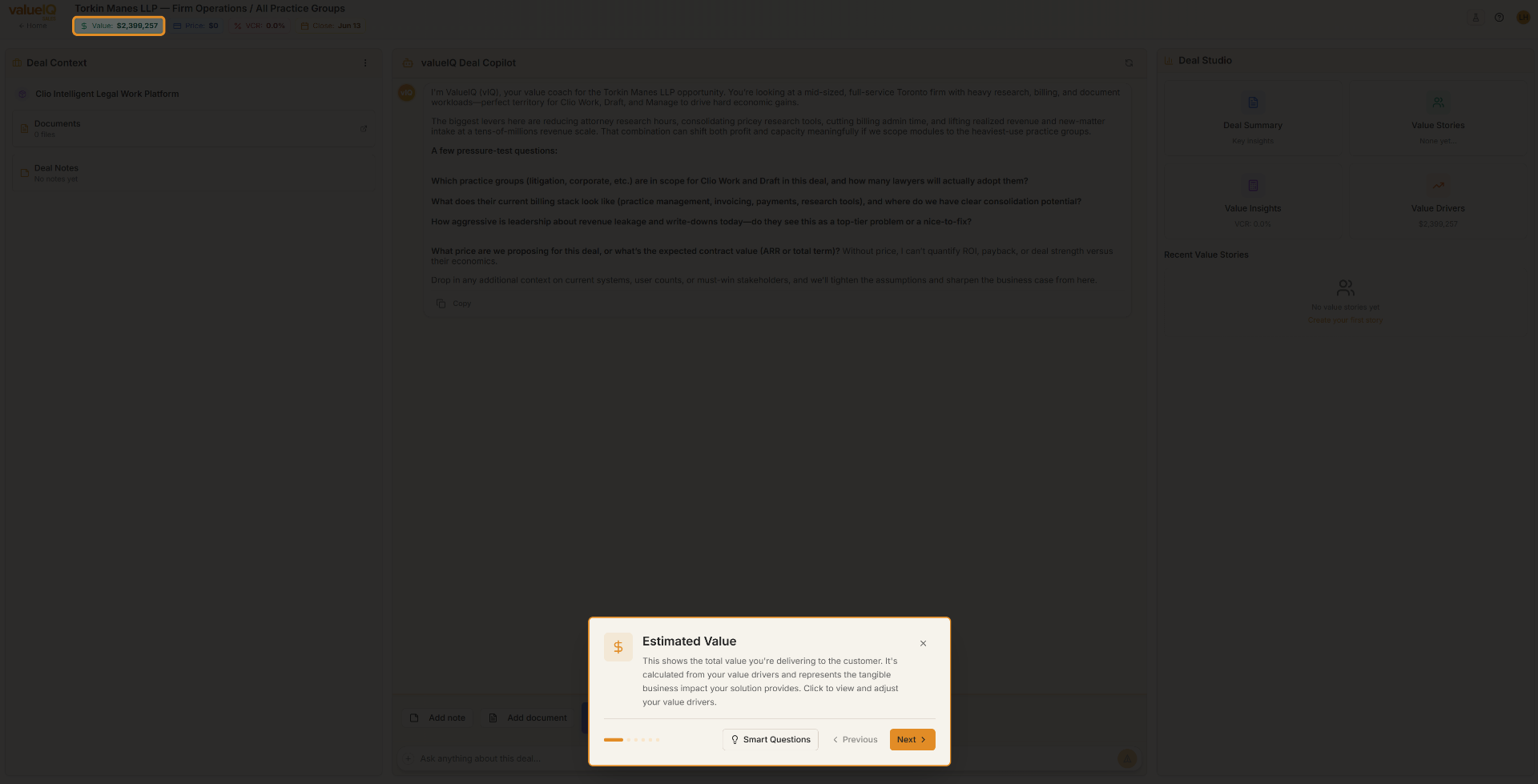
- Expected Value. The total value you deliver to the customer, calculated from your value drivers. Click it to view and adjust individual drivers.
- Price. The price you are proposing, as ARR or total contract value. Setting a price turns on ROI and deal-strength metrics.
- Value Capture. Price divided by expected value: the share of delivered value your price captures.
- Deal Context. The left panel with your product, uploaded documents, and deal notes. This is what the vIQ draws on.
- vIQ, the ValueIQ Copilot. The central coaching chat, grounded in this deal.
- Deal Studio. The right panel with your Deal Summary, Value Stories, Value Insights, and Value Drivers, where you build and share the business case.
You can revisit the tour from the deal workspace at any time. The Smart Questions button at the bottom of the tour gives you discovery questions tailored to the deal.
3. vIQ
The vIQ is the chat in the centre of the deal workspace. It draws on the company, the value model, uploaded documents, and deal stage, and answers with guidance specific to that deal.
Start with Smart Questions
If you are not sure where to begin, the Smart Questions panel gives you a curated set of questions organised by deal stage.

- Pick a stage tab. Discovery, Solutioning, Proposal, Negotiation, or Closing.
- Click a question. It is sent straight to the Copilot.
Each question targets a persona or objective. In the Discovery stage, for example:
- What should we ask the prospect's champion to uncover the core problem they are trying to solve?
- What should we clarify with the economic buyer to understand their criteria for success?
- What signals should we look for to identify who will advocate for or block the deal?
Ask your own questions
Beyond Smart Questions, the Copilot is a free-form coach. A few starting points:
- "Help me prepare for a meeting with the VP of Engineering tomorrow."
- "What objections should I expect at the negotiation stage?"
- "Draft a follow-up email summarising the value we discussed."
- "What is the best way to present ROI to the economic buyer?"
The more context you add to the deal (documents, notes, company information), the more specific the Copilot's guidance becomes. Treat it like briefing a strategist before a big call.
4. Your first sales deck
Value stories are the presentation output of valueIQ. They combine your value model with the deal's customer-specific data to produce a business case you can share with the buyer.
Create the value story
- Click Sales Deck in the Deal Studio panel on the right of the deal workspace.

- Fill in the Create Sales Deck dialog.
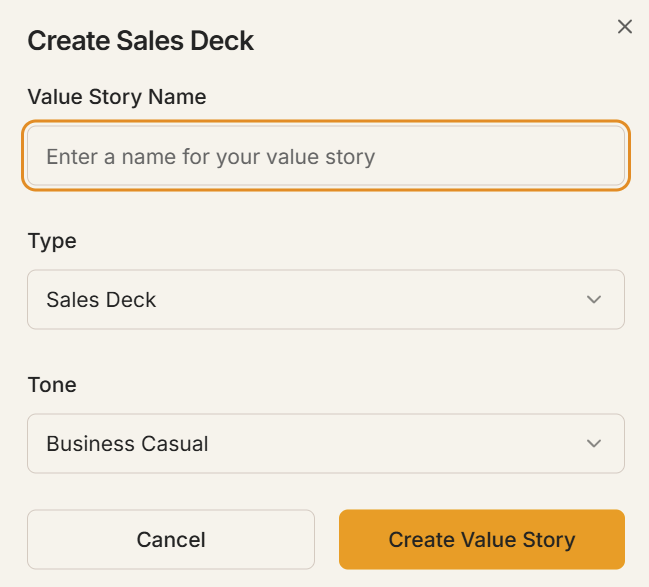
- Value Story Name. A descriptive name so you can find it later.
- Type. The template to use.
- Tone. A tone that suits the audience, such as Business Casual.
Choose a template
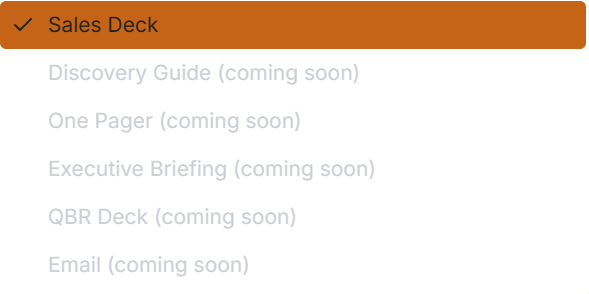
Five templates are available now, and they all draw on the same deal data:
- Sales Deck. The full presentation: quantified value drivers, ROI, and an executive summary.
- One Pager. A single-page summary with the top drivers and a call to action.
- Executive Briefing. A denser financial version for the economic buyer, with the ROI method spelled out.
- Discovery Guide. Internal prep material with discovery questions grouped by topic. Never shown to the buyer.
- Co-Session Discovery Guide. A collaborative version of the discovery guide to run live with the customer, so they can confirm or correct estimates with you.
Read the output
A generated Sales Deck is a complete, customer-specific business case, written for the prospect from the deal's context.
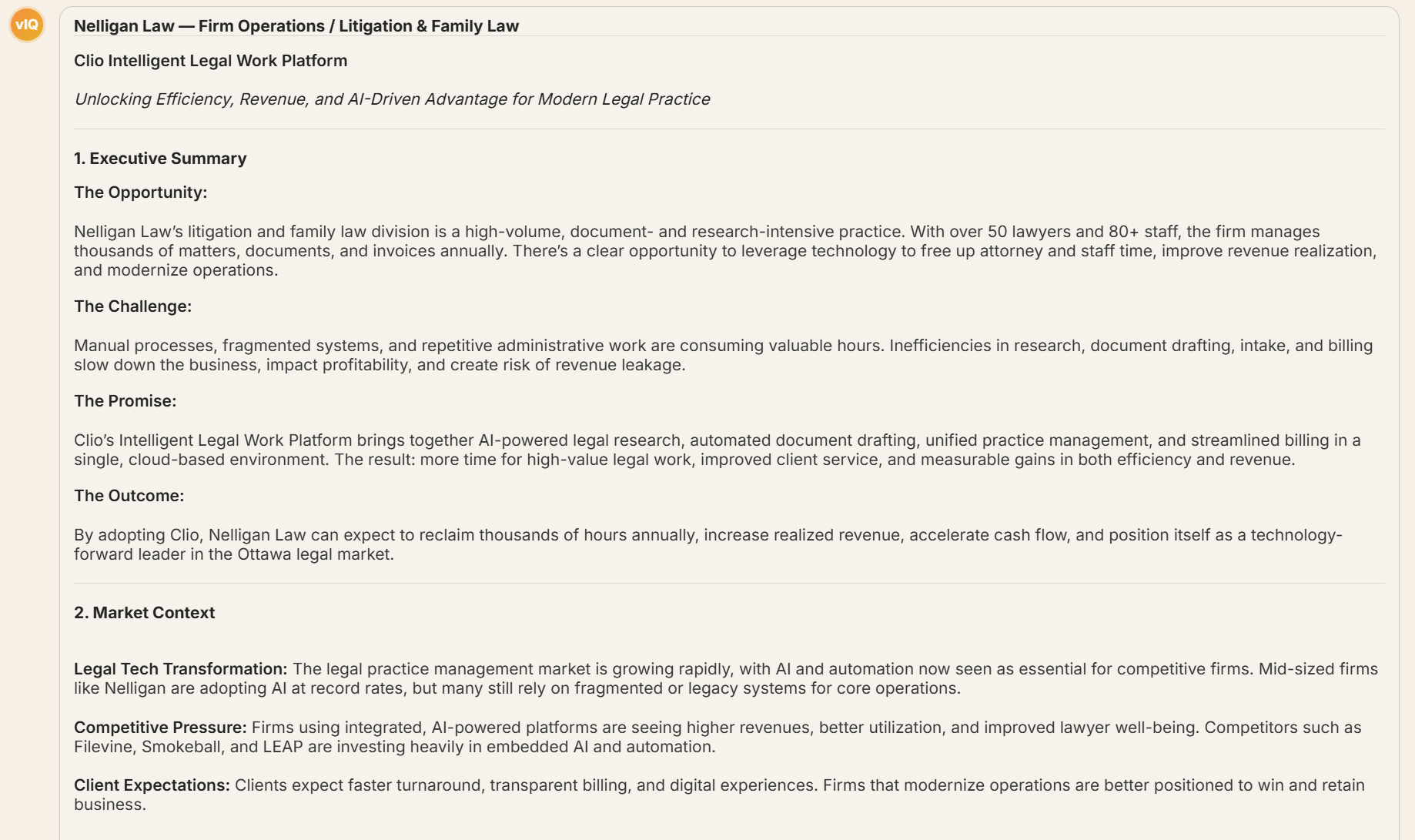
Open the full value story
At the bottom of the generated output, click the Value Story button to open the full interactive view, where you can review, refine, and share the business case.

The Value Story page is the polished, shareable version of the business case, ready to save, download, or present.
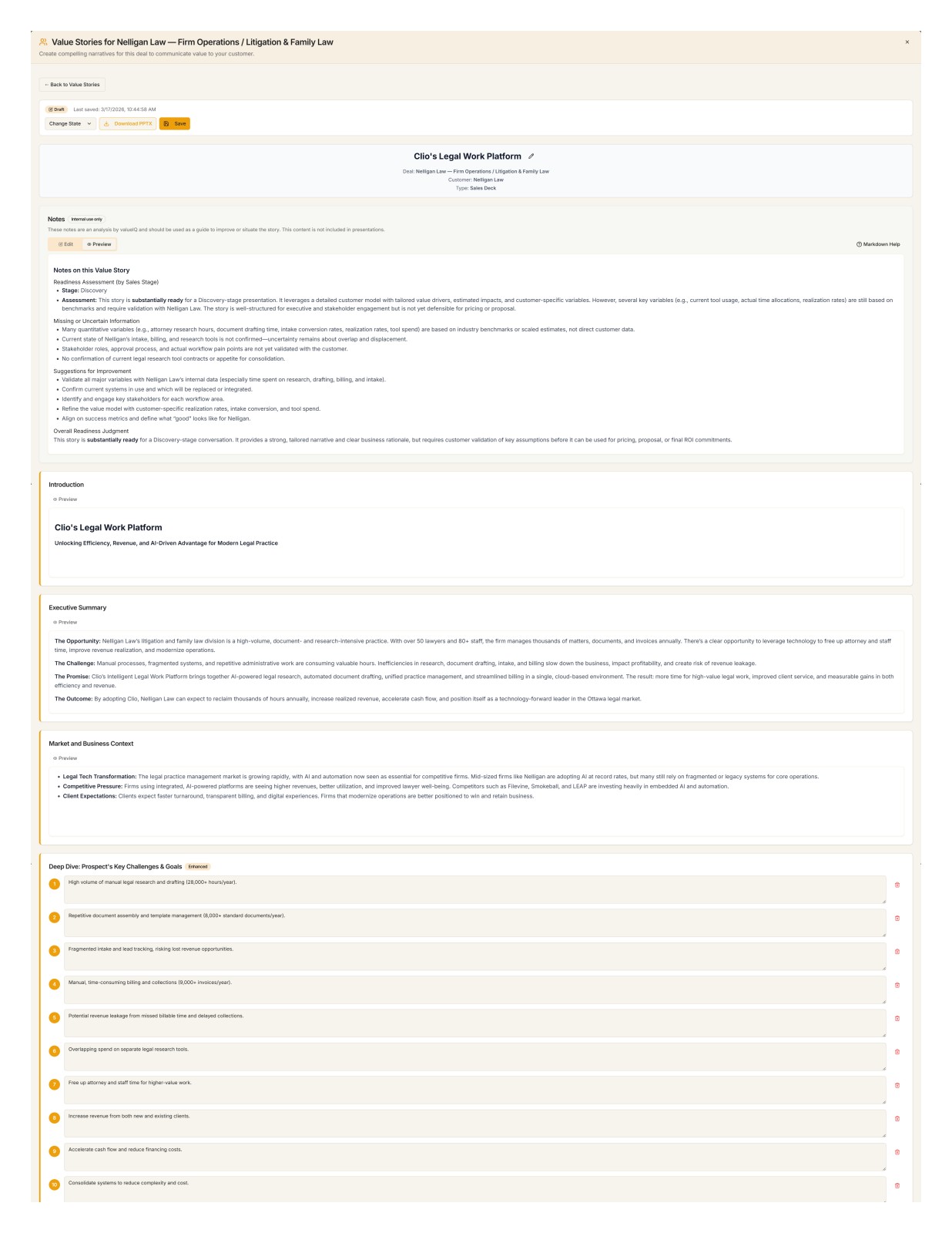
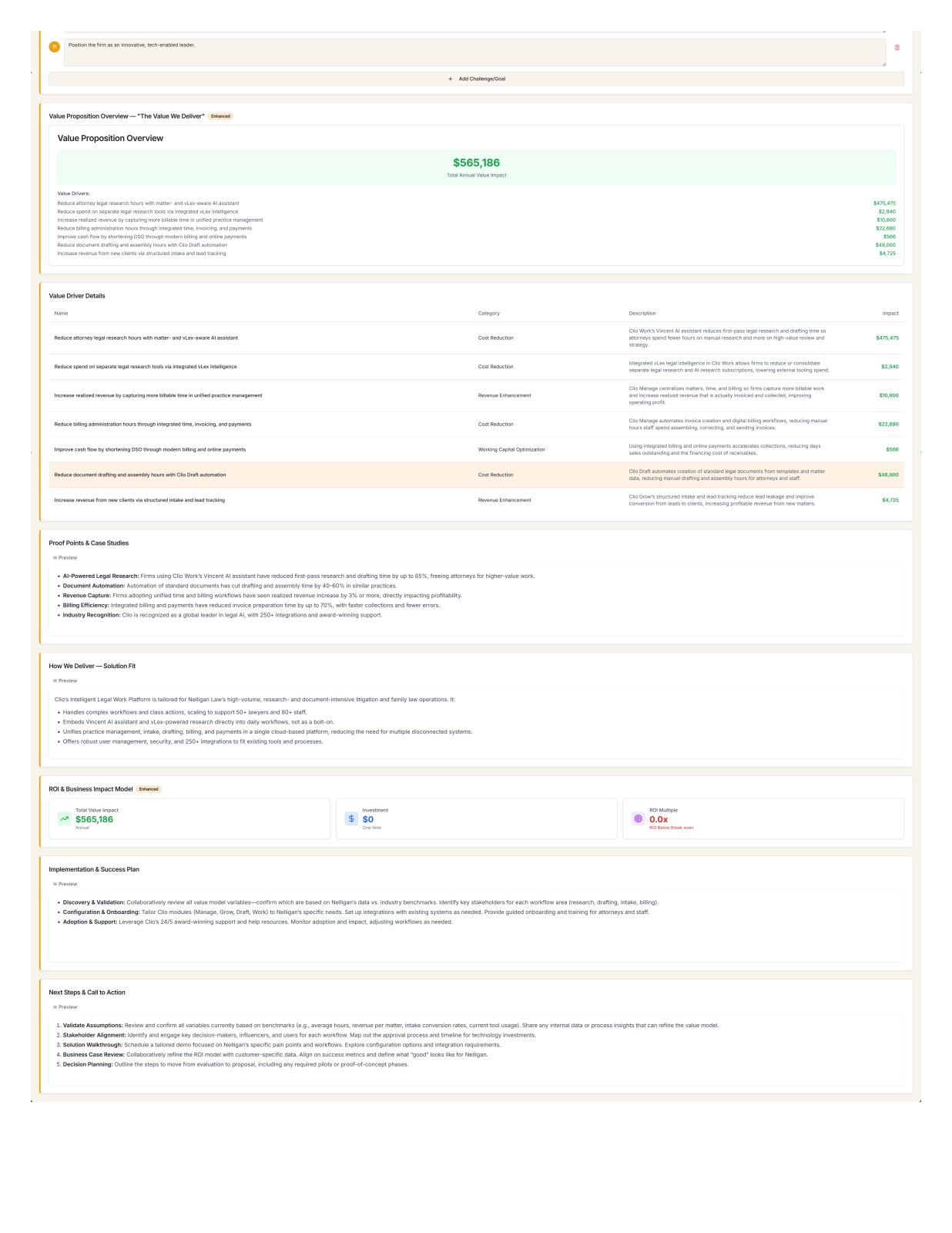
The sections run in order: Introduction, Executive Summary (opportunity, challenge, promise, expected outcome), Market & Business Context, Key Challenges & Goals, Value Proposition Overview, Value Driver Details (each driver with its category, rationale, and estimated annual impact), Proof Points & Social Proof, Solution Fit, ROI & Business Impact (total value, investment, payback period, ROI multiplier), Implementation & Success Plan, and Next Steps & Call to Action.
Value stories render against live deal data. When you refine an input or the value model changes, the story reflects it without a rebuild.
What next
You have a value model, a deal, and a business case. The Value models guide shows you how to edit drivers and variables, the Coaching guide goes deeper on the vIQ, and Plans and credits explains what each action costs.